0
0
 0
0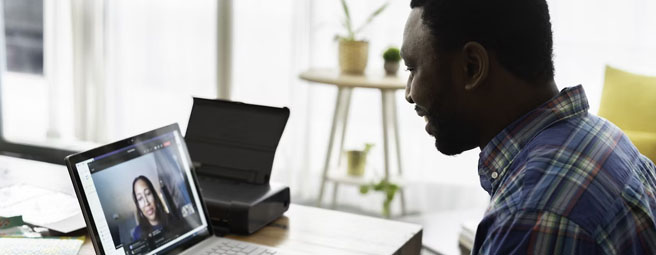
How to Conduct Virtual Job Interviews Professionally
Key Takeaways
1. Your Interview Environment Directly Impacts Candidate Perception
Research confirms that professional backgrounds with neutral elements like bookshelves or plants significantly increase perceptions of competence and trustworthiness compared to home settings or novelty backgrounds. The space visible behind you on camera communicates as much about your organization's professionalism as the questions you ask.
2. Technical Reliability Is Non-Negotiable for Top Talent
Candidates judge organizations based on video and audio quality, with poor connection quality directly affecting how competent interviewers appear on screen. Home Wi-Fi shared with streaming family members or downloads creates bandwidth competition that can freeze your video at critical moments, undermining even the most thoughtful interview questions.
3. Preparation Goes Beyond Having Questions Ready
Successful virtual interviews require testing your complete setup at the exact time of day you'll be interviewing, creating structured scorecards to maintain focus, and sending candidates detailed agendas with backup contact information at least 24 hours in advance. These elements transform a potentially chaotic experience into a seamless professional interaction that puts candidates at ease.
4. Professional Meeting Spaces Eliminate Variables That Home Offices Can't Control
Davinci Meeting Rooms provide high-speed business internet, quality AV equipment, and controlled environments that remove the anxiety of technical failures, doorbells, barking dogs, and family interruptions. This infrastructure allows you to focus entirely on evaluating the candidate rather than monitoring whether your connection will hold or your neighbor will start their leaf blower.
5. The Cost of a Bad Interview Experience Far Exceeds the Cost of Professional Space
When you've invested thousands in sourcing the perfect candidate for a senior role, losing them because your interview felt disorganized is a strategic failure. Renting a professional meeting room for critical interviews is a rounding error compared to the cost of extending your search, settling for a less qualified candidate, or making a bad hire that doesn't work out.
High Cost of "Good Enough" Virtual Interviews
Virtual interviews have become standard practice, but here's the thing—most companies are still getting them wrong. Not catastrophically wrong, necessarily, but wrong enough that top candidates are walking away with a mediocre impression of organizations that might otherwise be their dream employer. Companies invest thousands in sourcing the perfect candidate, only to lose them because the hiring manager looked unprofessional on camera or the connection kept freezing at critical moments.
The shift to virtual interviewing isn't temporary. Even organizations that have returned to in-person work are keeping virtual interviews for at least the initial screening rounds, and honestly, it makes sense. But treating these interviews as a lesser version of "real" interviews is a mistake that costs companies talent. What actually matters when trying to assess someone's fit through a screen comes down to environment, preparation, and technology—and why the setting chosen can make or break the entire experience.
The Foundation: Preparation That Actually Works
Most hiring managers underestimate how much preparation goes into a smooth virtual interview. It's not just about having questions ready—though that's part of it. It's about creating an environment where the candidate can actually show who they are, rather than spending mental energy worrying about whether they can be heard or why the video keeps cutting out.
Start with the basics, but be thorough about them. Send candidates a detailed agenda at least 24 hours before the interview. Not just "we'll talk on Zoom at 2 pm," but the names and titles of everyone who'll be in the room, a rough outline of what will be discussed, and—this is crucial—a backup phone number in case the video platform fails. Having that backup number can turn what could be a disaster into a minor hiccup that actually humanizes the process.
Now that one thinks about it, the timing of tech checks matters more than people realize. Don't just test cameras and microphones at 9 am for a 4 pm interview. The lighting in any space changes throughout the day, and what looks professional in morning light might cast weird shadows in the afternoon. Test everything at the actual time the interview will be conducted. Check screen sharing functionality. Make sure microphone levels are right—not too quiet, not so loud that it sounds like shouting.
Here's something that gets skipped constantly: create a structured scorecard before the interview. This isn't about being robotic or reducing a human being to a checklist. Actually, it's the opposite. When there's a clear framework for what's being assessed, focus can remain entirely on what the candidate is saying rather than scrambling to think of the next question or trying to remember what needed to be asked about their experience with stakeholder management. The scorecard keeps everyone present in the conversation.
The Professional Environment Problem
Let's be blunt about something that makes people uncomfortable: backgrounds matter significantly, and pretending they don't is naive. Research shows that video backgrounds with bookshelves or plants are consistently rated as more trustworthy and competent than home settings like kitchens or living rooms, and certainly higher than those novelty virtual backgrounds of beaches or outer space that some people still think are acceptable in professional contexts.
Why people resist this reality is unclear, but they do. Perhaps it feels superficial to judge someone based on what's behind them on camera. But here's the thing—candidates are judging the same way, whether consciously or not. When they see a cluttered home office or a blur filter that cuts off half someone's head, they're forming opinions about whether the company is organized, whether it values professionalism, whether it has its act together.
The challenge with home offices is that they're inherently personal spaces, and that personal element bleeds through on camera. Maybe a home office looks professional, but it still signals "home" rather than "workplace." For some roles and some companies, that might be fine. For others—particularly when trying to attract candidates who value structure and professionalism—it sends the wrong message.
Key professionalism elements that matter:
Dress exactly as one would for an in-person meeting, even when conducting the interview from a remote location. This psychological cue creates a professional mindset and signals respect to the candidate. Clothing affects psychology more than most realize—there's a reason "dress for the job you want" persists as advice.
Master the eye contact technique for virtual settings. Look at the camera lens when speaking, not at the candidate's face on the screen. This simulates eye contact for them. But when they're speaking, looking at their face helps catch their expressions and non-verbal cues. It's a dance, and it takes practice, but candidates notice the difference.
Control the environment completely. Eliminate potential interruptions—silence phone notifications, close unnecessary browser tabs, inform family members of the schedule. When working from home, put pets in another room and post a "do not disturb" sign if needed.
Technology: The Silent Interviewer
Here's what nobody tells people about virtual interview technology: candidates experience every technical glitch as a reflection of competence. Studies on video meetings show that poor video or audio quality negatively affects how competent and trustworthy people appear on screen. It doesn't matter that an internet provider had an outage or that a router is malfunctioning. The candidate's brain processes the stuttering video and garbled audio as a signal that something is off about the interviewer or the organization.
Bandwidth is the foundation of everything else. Home Wi-Fi networks are typically shared resources—a partner might be on a video call in the next room, kids might be streaming videos, someone might be downloading a large file. Each of these activities competes for bandwidth, and video calls are particularly sensitive to latency and packet loss. Even if home internet is generally fast, it might not be stable enough for the smooth, professional experience needed.
The audio issue is actually more important than video quality, though people tend to focus on video. Humans are remarkably adaptable to imperfect video—understanding someone even if their image is slightly pixelated or choppy is possible. But audio problems are immediately disruptive. If the candidate has to strain to hear or if they keep missing words, it breaks the flow of conversation and makes it nearly impossible for them to relax and be themselves. Use a high-quality microphone or headset. "Can you hear me now?" is a phrase that should never be uttered in a professional interview.
At home, the interviewer becomes the IT department. If a camera stops working or audio cuts out, troubleshooting happens while trying to maintain professionalism with the candidate. It's awkward at best and relationship-destroying at worst. Having a backup plan matters, but even better is removing the technical variables altogether.
Example Interview Insights: The Contrast That Matters
Here's a specific picture of what candidates actually experience in different interview environments. This isn't hypothetical—these are the kinds of details that candidates remember and discuss when comparing opportunities.
The Home Office Scenario:
The interview is conducted from a spare bedroom that doubles as an office. The candidate joins the call and immediately sees a ceiling fan in the background, maybe part of an unmade bed just visible at the edge of the frame, or that pile of laundry that was meant to be put away. There's a blur filter on, but it keeps cutting off pieces of hair and creating that weird artificial halo effect.
Three minutes into discussing the candidate's experience with stakeholder management, the video freezes. The interviewer doesn't realize it immediately—they keep talking for another ten seconds before noticing the candidate's confused expression. Turns out a teenager just started downloading a game update. An apology is made, the candidate is asked to repeat their answer, and attempts to focus continue, but now part of the attention is on monitoring the connection quality.
The doorbell rings. It gets ignored, but the candidate heard it and lost their train of thought. A dog starts barking at the delivery person. Another apology, getting up to put the dog in another room, and returning to find the connection has been dropped entirely. Rejoining the meeting, making a joke about technology, and trying to rebuild the momentum that existed.
Later, when discussing the role's responsibilities, an attempt to share the screen to show the team structure takes three tries to get working. The candidate is professional about all of this, but they're forming opinions. They're wondering if this disorganization reflects the company culture. They're comparing this experience to the other companies they're interviewing with.
The Davinci Meeting Room Scenario:
Arrival at the Davinci location happens 20 minutes early. The professional lobby greeter welcomes and directs to the reserved conference room. Settling in, reviewing notes, testing the connection—everything works as expected. The room has a clean, professional appearance with a neutral backdrop that looks polished on camera.
The candidate joins the call and sees a proper boardroom setting. The video is clear and stable. Audio is crisp because the room uses quality equipment and business-ready connectivity designed for video conferencing. The entire environment signals competence and organization.
When the screen is shared to discuss the team structure, it works immediately. The reliable internet connection handles it without any degradation in video quality. Relaxation and focus come naturally in a controlled environment where external interruptions simply don't happen. The enclosed meeting space significantly reduces external noise.
The candidate can focus entirely on the conversation rather than being distracted by technical issues or environmental problems. They're experiencing the interviewer's best self—confident, present, professional. When they compare to other opportunities, they remember the seamless experience. They remember feeling like this company has its act together.
After the interview, packing up and leaving happens smoothly. The physical transition from professional space back to regular environment is clean and clear.
|
Table 1. Side-by-Side: What Candidates Actually Notice.
The psychological difference matters too. When interviewing from home, there's awareness that the candidate is being given a window into personal life, even if curation of what they see has been attempted. When interviewing from a professional meeting space, there's a clear boundary between professional and personal that allows full presence in the professional role.
Why Davinci Meeting Rooms Address the Core Challenges
Davinci Meeting Rooms locations provide high-speed internet and professional AV tools that create a reliable foundation for virtual interviews. Their meeting rooms are designed as actual business spaces, not improvised home offices, which makes a noticeable difference in how the interview feels to both parties.
The rooms offer quiet, professional environments that minimize distractions. Many centers also include smartboards, LCD projectors, and presentation displays depending on location, which gives flexibility if materials need to be showcased during the interview. The business services and staffed workspaces mean there's support available for check-in and meeting logistics, unlike home offices where everything gets managed alone.
Perhaps most valuable is the mental shift that comes from conducting interviews in a dedicated professional space. Arriving, conducting serious work, and leaving creates separation that helps bring focused energy to the interview rather than trying to toggle between home mode and work mode in the same physical location. For candidates, the professional setting signals that the organization is established and takes the hiring process seriously.
The amenities extend beyond just the conference room itself. Professional lobby greeters create a welcoming first impression. The facilities include climate control, comfortable seating, and office lighting that typically looks better on camera than most home setups. Some locations even offer catering services for all-day interview panels.
Making the Strategic Choice
So when does it make sense to invest in a professional meeting space versus interviewing from home? It depends on several factors: the level of the position, how competitive the candidate market is, whether a particular brand image needs projecting, and honestly, how reliable the home setup is.
For entry-level positions where numerous brief screening calls are being conducted, a home office is probably fine if it's been optimized reasonably well. But for senior positions, final-round interviews, or situations where competition exists for candidates who have multiple offers, the professional space becomes strategic rather than optional.
Think about the calculation this way: investment has gone into job postings, recruiter time, screening calls, and coordination. If a top candidate walks away because the interview seemed disorganized or unprofessional, what's the cost of continuing that search? What's the cost of potentially hiring a less qualified candidate because attracting the first choice wasn't possible? Renting a Davinci Meeting Room for a few hours is a rounding error compared to the total cost of a failed hire or an extended search.
There's also a psychological benefit that's harder to quantify. When investment goes into creating a professional interview environment, it signals to the candidate that this is taken seriously, that their time is respected, that the organization sweats the details. That matters more for some candidates than others, but it never hurts. Top talent notices these signals, even if they don't articulate it explicitly.
Quick Checklist for Interview Day
Beyond the preparation covered earlier, here are rapid-fire elements to verify right before the interview:
Technical Setup:
• Position camera at eye level, not looking up or down
• Close unnecessary applications that might send notifications or slow the system
• Have the candidate's resume and scorecard easily accessible on a second screen or printed
During the Conversation:
• Keep energy slightly elevated. Video flattens affect, so more animation is needed than in person
• Use the mute button strategically during multi-person panels to eliminate background noise
• Take brief notes on the scorecard rather than trying to remember everything
Candidate Experience:
• Start with a quick tech check and small talk to let them settle in
• Acknowledge if technical issues occur and move on quickly rather than dwelling on them
• Share what happens next in the process before ending the call
• Follow up promptly with next steps, regardless of the decision
Actually, these tips assume working with a reliable technical foundation. If the home setup is precarious, no amount of optimization will overcome fundamental infrastructure problems.
The Candidate Experience Being Created
Here's what gets learned from talking to candidates after virtual interviews: they remember how they were made to feel more than what questions were asked. They remember whether the experience felt professional and organized or chaotic and improvised. They remember whether technical problems disrupted the conversation or everything flowed smoothly.
Candidates are comparing to the best virtual interview they've had, not the worst. Some of those organizations have invested in the infrastructure and environment to deliver seamless experiences through facilities like Davinci Meeting Rooms. In a competitive talent market, that comparison matters more than it probably should, but it matters nonetheless.
The truth is that conducting effective virtual interviews requires the same level of professionalism, preparation, and environmental control that in-person interviews do. Translation of those elements into a digital context has been necessary. Some people can create that professional environment from home with enough investment and optimization. But for situations where the stakes are high enough that risk isn't acceptable—critical hires, final rounds, roles where competition exists against well-funded competitors—professional meeting spaces remove the variables that undermine home-based interviews.
The next senior hire deserves better than a makeshift interview from a spare bedroom. They deserve the same professional environment that would be provided if meeting face-to-face. Davinci Meeting Rooms make that possible in the virtual world, turning what could be a liability into a competitive advantage in the war for talent. The question isn't whether professional meeting spaces improve the interview experience—they clearly do. The question is whether the next hire is important enough to warrant that investment. For the roles that truly matter, the answer is usually yes.
Frequently Asked Questions
1. What are the most common technical problems that ruin virtual job interviews?
The most disruptive technical issues include unstable internet connections causing frozen video or dropped calls, poor audio quality that makes it difficult for candidates to hear questions clearly, and screen sharing failures when trying to present organizational information or portfolios. Home Wi-Fi networks are particularly vulnerable because bandwidth gets shared with family members streaming videos, gaming, or on their own video calls, creating competition that causes lag and freezing at unpredictable moments. Studies show that candidates perceive interviewers with poor video quality as less competent, regardless of the actual cause of the technical problems. Using a professional meeting space with dedicated business-grade internet eliminates these variables and ensures smooth, uninterrupted conversations.
2. How does your video background affect candidate perception during virtual interviews?
Research demonstrates that video backgrounds significantly influence how candidates perceive your competence and trustworthiness as an interviewer and representative of your organization. Backgrounds featuring professional elements like bookshelves, plants, or neutral office settings consistently rate higher for competence and trustworthiness compared to home environments like kitchens or living rooms, and far better than novelty virtual backgrounds depicting beaches or outer space. Candidates form immediate impressions based on what they see behind you on camera—a cluttered home office or blur filter that cuts off your head signals disorganization, while a clean, professional boardroom environment communicates that your company is established and takes the hiring process seriously. Even if your home office looks reasonably professional, it still signals "home" rather than "workplace," which can undermine your positioning for roles requiring structure and professionalism.
3. When does it make sense to rent a meeting room for virtual interviews instead of using a home office?
Renting a professional meeting space like Davinci Meeting Rooms becomes strategic rather than optional for senior-level positions, final-round interviews, and situations where you're competing for candidates who have multiple offers from well-funded organizations. For entry-level roles with numerous brief screening calls, an optimized home office is probably sufficient, but critical hires deserve the same professional environment you'd provide for in-person meetings. Consider the total cost calculation: if you've invested in job postings, recruiter fees, and coordination for a senior role, losing your top candidate because the interview felt disorganized costs far more than a few hours of meeting room rental. The professional space becomes essential when your home setup has reliability issues, when you can't guarantee an interruption-free environment, or when the candidate's first impression will significantly influence their decision between competing offers.
4. What specific features should you look for in a professional meeting room for conducting virtual interviews?
The most critical features are high-speed, reliable internet designed for business use rather than residential service, quality audio equipment that delivers clear sound without picking up ambient noise, and a professional visual setting with neutral backgrounds that keep focus on the conversation. Look for enclosed rooms that minimize external distractions and interruptions, pre-tested video conferencing capabilities, and availability of presentation tools like LCD monitors or smartboards if you need to showcase team structures or portfolios. Davinci Meeting Rooms typically provide these core amenities plus professional lobby greeters, climate control, and staff support for check-in and basic meeting logistics. The availability of specific amenities like smartboards or projectors may vary by location, so confirm what's included when booking for your particular needs.
5. How far in advance should you prepare for a virtual job interview to ensure a professional experience?
Begin preparation at least 24-48 hours before the scheduled interview by sending candidates a detailed agenda including interviewer names and titles, a rough discussion outline, the video platform link, and a backup phone number in case of technical failure. Test your complete technical setup at the exact time of day you'll be conducting the interview to catch lighting issues, bandwidth problems, or unexpected interruptions that occur at specific times. Create your structured scorecard with specific competencies you're evaluating so you can focus on listening during the actual conversation rather than scrambling to think of next questions. If using a professional meeting room, book early enough to secure your preferred time slot and arrive 20-30 minutes before the interview to settle in, do a final tech check, and mentally transition into interview mode rather than rushing directly from other tasks.
6. What's the difference between interviewing from home versus a professional meeting space in terms of candidate experience?
Candidates interviewing with someone in a professional meeting space experience smooth, reliable technology with clear audio and stable video, see a neutral boardroom setting that signals organizational competence, and interact with an interviewer whose full attention is on the conversation rather than monitoring for home interruptions. In contrast, home office interviews often involve visible personal items that blur professional boundaries, shared bandwidth that creates freezing or lag, ambient household noises, and the risk of doorbells, barking dogs, or family interruptions that disrupt conversation flow. The psychological difference matters significantly. Interviewers in professional spaces are noticeably more relaxed because they're not anxious about variables outside their control, and that confidence translates into better rapport-building with candidates. Top candidates compare their interview experiences across organizations, and the company that delivered a seamless, professional virtual interview often has an advantage over competitors whose home-based interviews felt improvised or chaotic, even if the conversation content was equally strong.
Related Resources
How and Where Conducting an Interview
https://www.davincimeetingrooms.com/blog/how-and-where-conducting-an-interview
Setting Up a Conference Room for Video Conferencing
https://www.davincimeetingrooms.com/blog/setting-up-a-conference-room-for-video-conferencing
What Is a Hybrid Meeting Room
https://www.davincimeetingrooms.com/blog/what-is-a-hybrid-meeting-room
How to Improve Hybrid Meetings
https://www.davincimeetingrooms.com/blog/how-to-improve-hybrid-meetings
How to Set Up a Room for a Meeting
https://www.davincimeetingrooms.com/blog/how-to-set-up-a-room-for-a-meeting



Categories
Subscribe to Our Blog
Archive

Talk to an expert
Want help finding the ideal meeting room? Give us a call
Book the Perfect Meeting Room Now
Find a Meeting RoomServices
Meeting Spaces Coworking US Meeting Spaces International Meeting Spaces International Coworking Spaces US Coworking Spaces About our Workspaces About our Services Meeting Space Rates Meeting Rooms Near MeCUSTOMER CARE
Login Sign Up FAQ Infographics Videos Contact us Chat with us Privacy Policy Cookie Policy Terms of Service Health & Safety